Gradle Technologies is now Develocity — read the announcement

Build Cache

Compute each result once. Every build agent you run reuses it, and nobody changes how they build.

Develocity Performance view showing build-cache avoidance savings and per-build timings.

Feature overview

Build Cache

Build Cache does the work once, then reuses the result across your entire organization. Compile a module or run a test on one machine, and every other build that needs the same result restores it instead of repeating it. A stored output is reused only when its inputs match exactly, so results stay correct at scale. One deployment spans every team and build tool. Because storage tracks distinct work, not build count, CI spend stops climbing with volume, even as AI multiplies the builds hitting your pipelines.

Never recompute work that hasn't changed

  • Reuse a finished result when the build tool recognizes the same inputs that produced it before.
  • Changing one file in a hundred-module build re-runs only the few parts it touches and restores the rest.
  • Reuse test results too — a test task whose inputs are unchanged restores its outcome instead of re-running the suite.
  • Storage tracks the variety of distinct work, not the count of builds, so a thousand agents repeating identical work doesn't inflate costs.
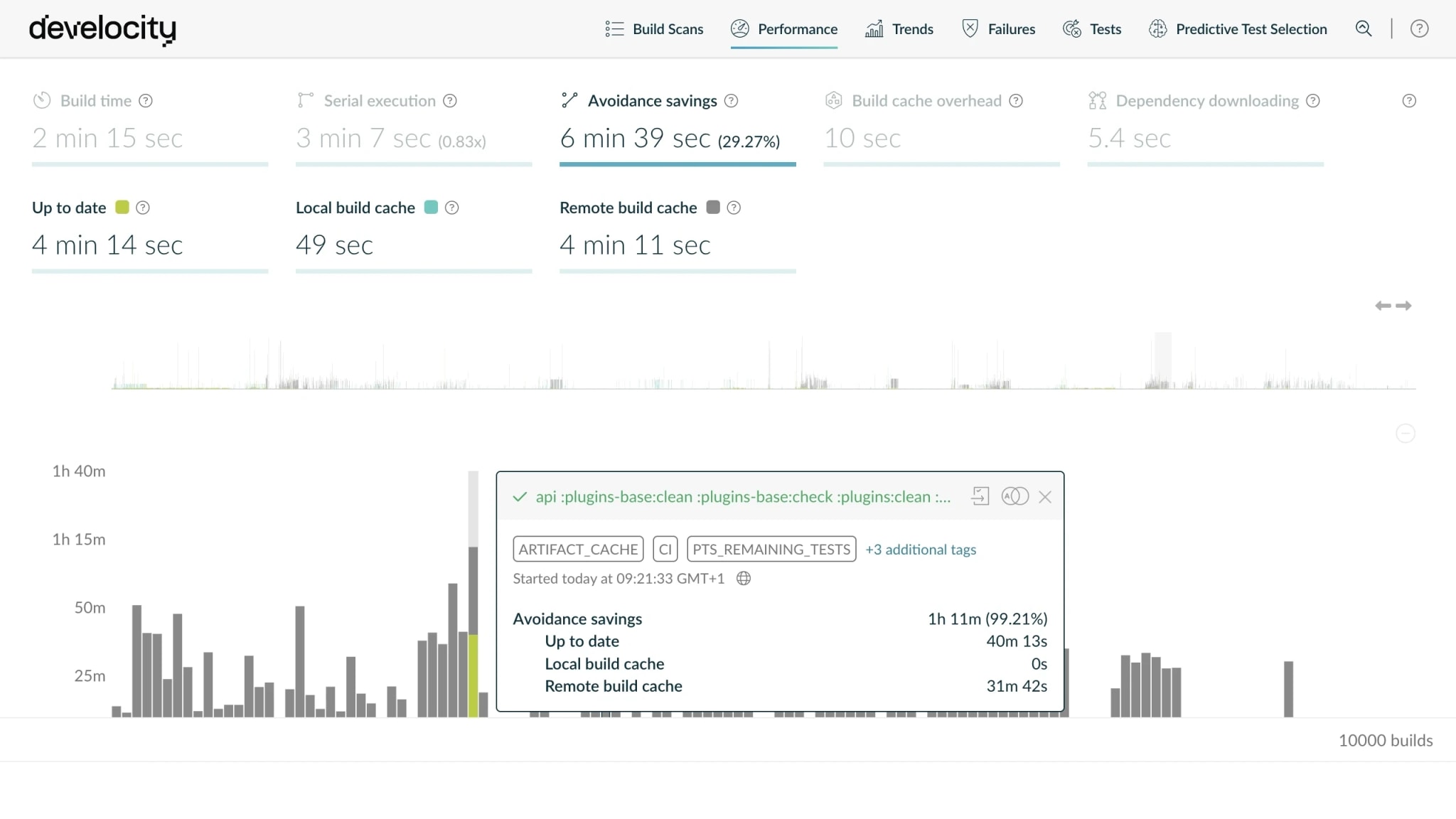
Develocity Performance view showing a build's avoidance savings, 99.21% of the work avoided via up-to-date results and the remote Build Cache.

Share one cache across every agent and CI vendor

  • Connect build environments with a unified remote cache that bridges agents and teams across regions.
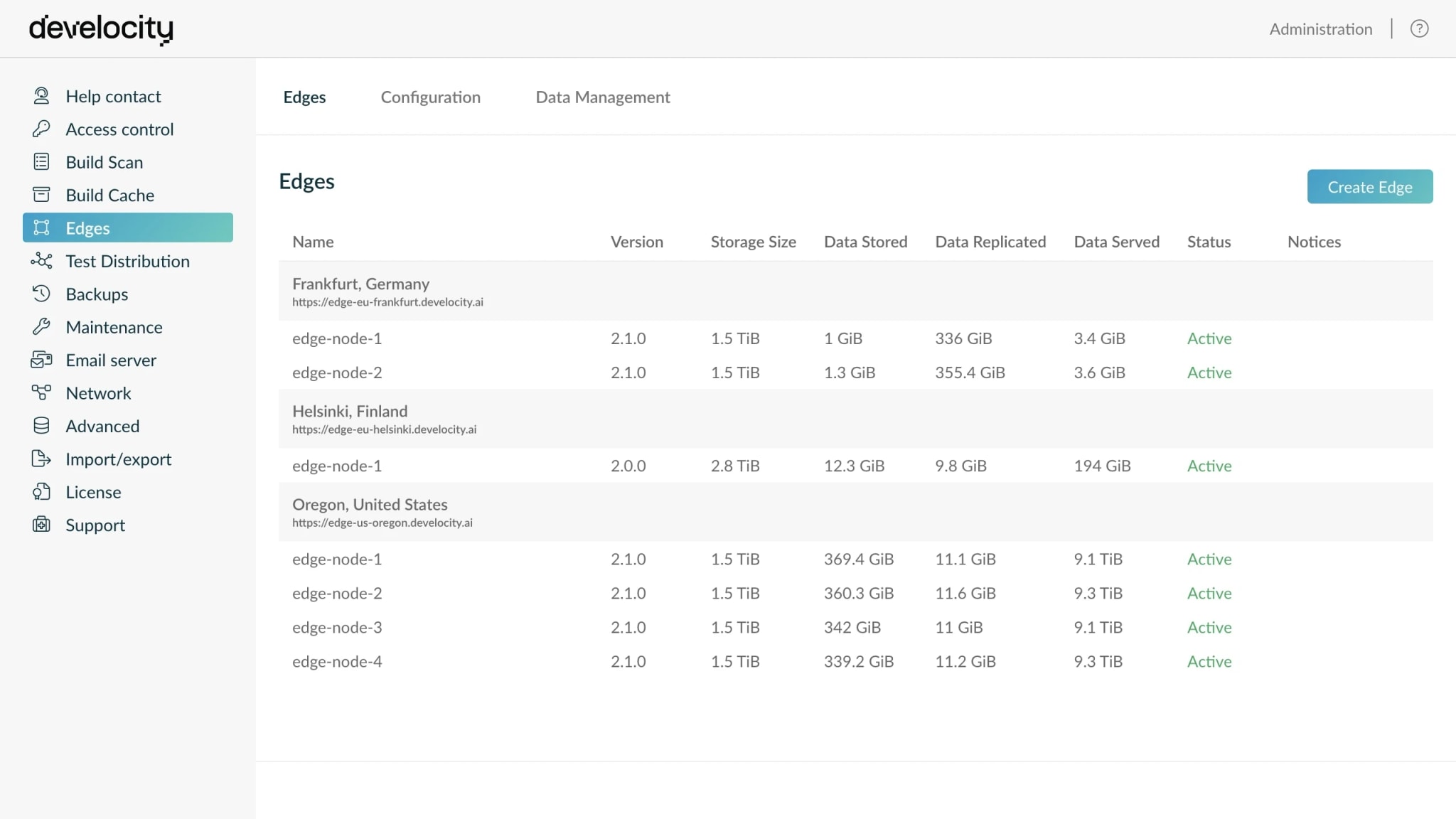
  • Develocity Edge puts a replica of the cache in each region, so builds efficiently download cached data from a co-located node instead of making cross-region round trips.
  • Maintain control over your build data with on-premises and air-gapped remote caches, ensuring strict compliance with data residency and security protocols.
Develocity Edges admin page showing active Edge nodes across regions serving one shared cache.
Observability

See why every build hit or missed the cache

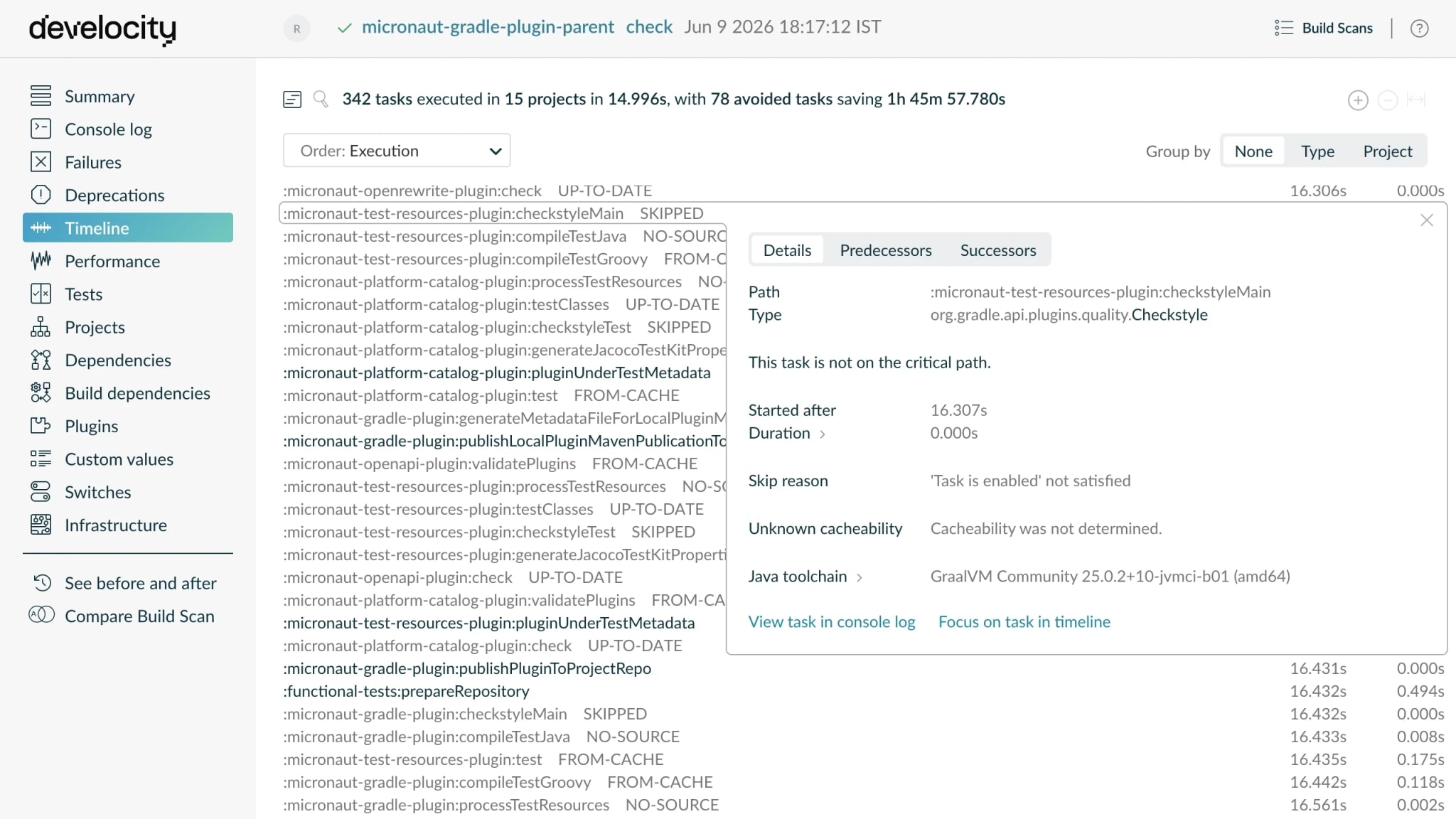
  • Trace a cache miss to the input that caused it — Build Scan comparisons diff the missed run against its last hit, input by input.
  • Catch a regression in cache savings as it starts — Performance Insights trends hit rate across every agent, team, and project.
  • Spot the tasks where caching costs more than it saves — per-task avoidance metrics flag the work to stop caching, not just the misses to fix.
Build Scan timeline showing per-task cache outcomes and an open task's skip reason and cacheability detail.
Analytics

Prove the savings, catch regressions

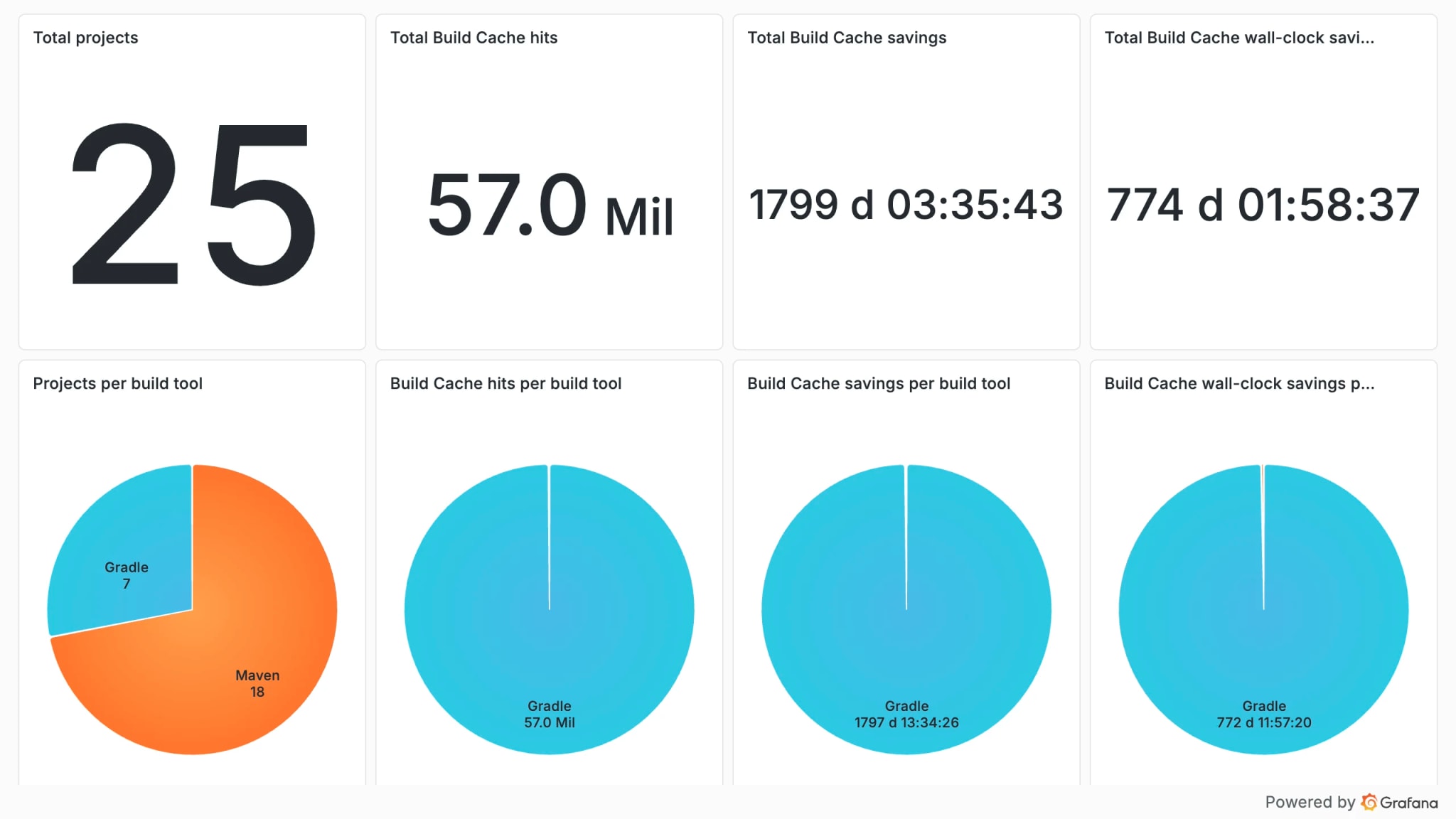
  • Prove the realized savings from your own builds — exactly what the cache avoided, broken down by build tool and by CI versus local.
  • See which projects have the highest unrealized savings, and prioritize roll-out where the payoff is largest.
  • Trending hit rate and miss reasons by team, project, and hardware, Develocity Analytics turns a quiet regression into an attributable, fixable event.
  • Access the same analytics from your AI assistant via Develocity MCP Servers.
Develocity Analytics dashboard showing total Build Cache hits and saved time, broken down per build tool across Gradle and Maven.
Agent Context

Fix cache misses with an agent, not by hand

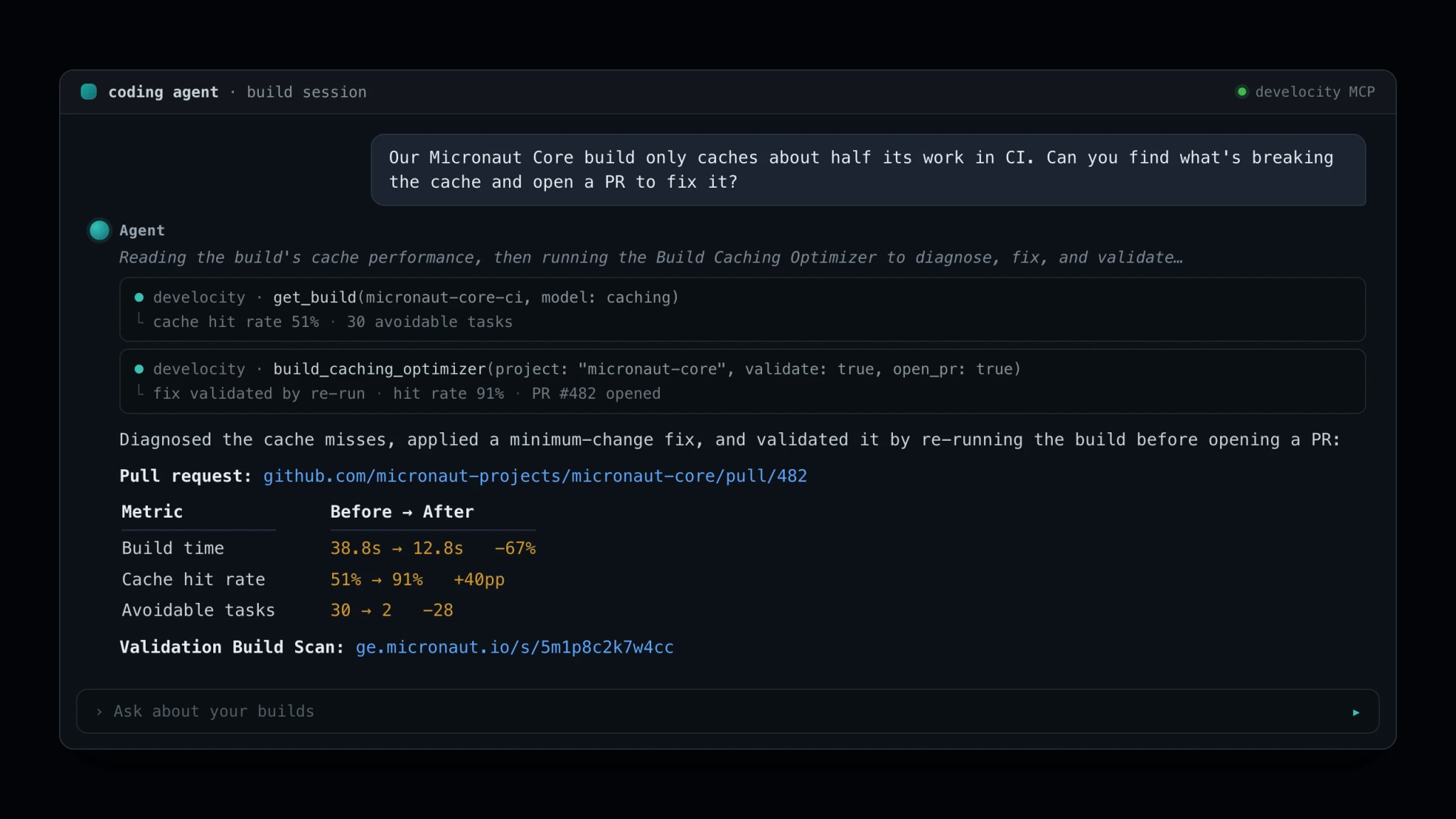
  • Build Caching Optimizer is an agent that diagnoses a cache miss, applies a minimum-change fix, and opens a pull request you can merge.
  • It reads your own Build Scan data and input fingerprints, so each fix targets the exact input that broke a cache hit, not a generic guess.
  • Every fix is validated empirically: the agent re-runs the build and keeps the change only if the build still works and the cache hit rate improved.
  • What once took a build engineer's hands-on investigation runs autonomously instead, so cache hygiene scales across projects without scarce expertise.
An AI-agent session over the Develocity MCP server — a request to fix CI cache misses, the Build Caching Optimizer tool calls, and the answer with an opened pull request and before-and-after build time, cache hit rate, and avoidable-task counts.
Governance

Make the cache a trust boundary

  • RoadmapAttest where cache entries came from with Artifact Governance, establishing a cache-provenance boundary at the platform level.
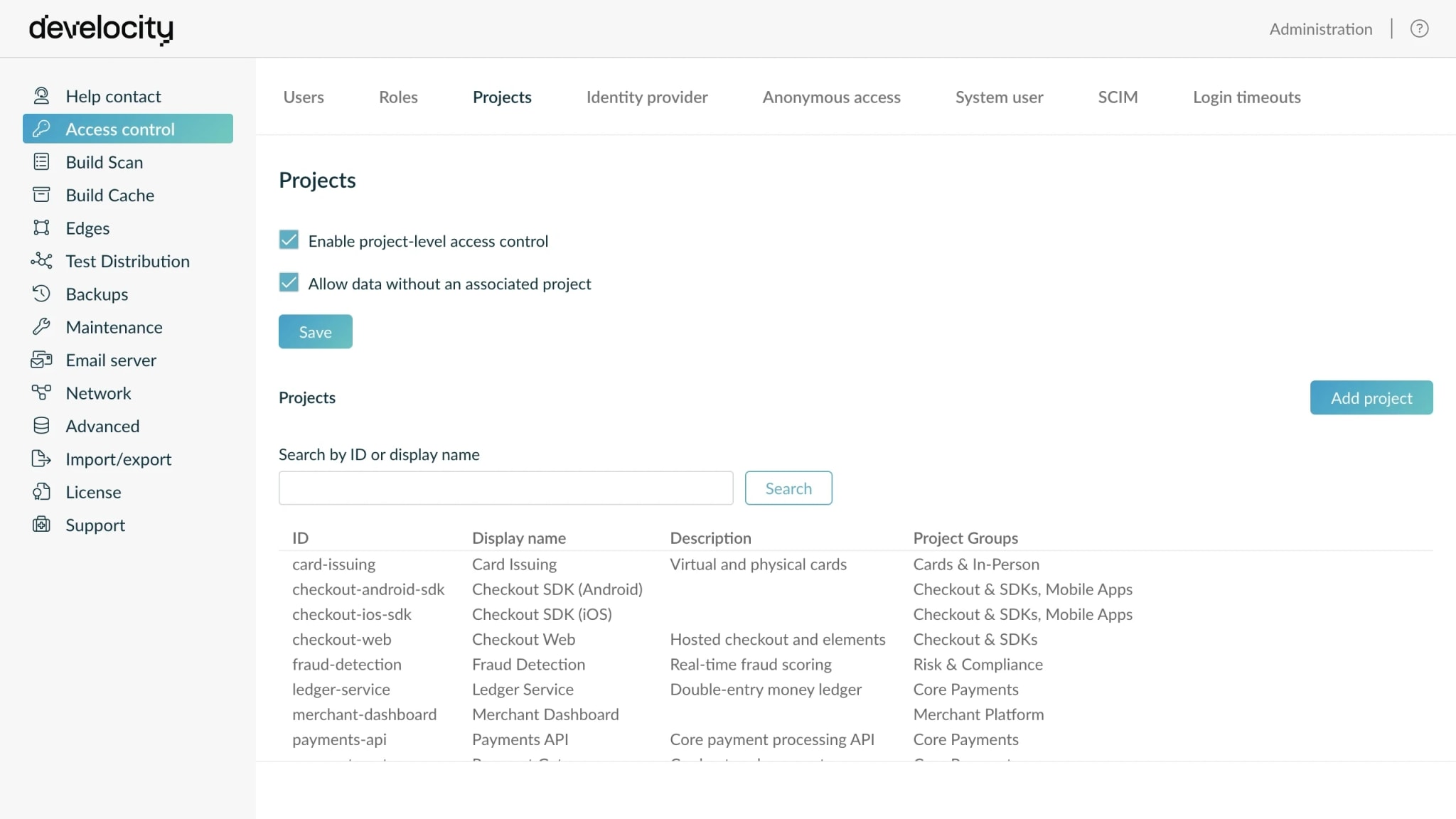
  • Using Project-Level Access Control, separate trusted and untrusted entries on one deployment instead of standing up separate infrastructure.
  • RoadmapConfigure custom retention and replication policies, so entries live as long as you choose and reach only the locations you allow.
Develocity access control showing project-level access control enabled with projects and project groups.

Resources

Netflix customer story: Develocity saves 280,000+ hours/year
Case study
DevCloud acceleration at Elastic: ~200,000 build-agent hours saved a year
Case study
How DuckDuckGo cut their Android build times by up to 57%
Blog
Develocity Build Cache: an overview
Video

What's next

Get started today with a 30-day free trial of the entire Develocity product suite.

Start Free Trial

© 2026 Gradle, Inc. Gradle®, Develocity®, Build Scan®, and the Gradlephant logo are registered trademarks of Gradle, Inc.

Get an AI summary of Develocity: